You want to control a machine, not learn a language. With Python, a USB cable and a browser you are up and running in minutes.
Python has been the most widely used programming language in the world for years (TIOBE index) and is taught as the first language in schools and universities. The chances are high that someone in your company, in your network or in the next class of your apprentices already knows Python. Skills in ladder logic or structured text per IEC 61131-3, on the other hand, are rare, expensive and tied to one vendor.
For you this means: no licence fees, no specialist training, no dependence on a tool. Help is minutes away, because millions of developers speak the same language.
The whole installation appears in the program as an object tree: every module, every input and output is an object. Reading means querying a property, controlling means setting a property. No addresses, no flags, no status words; errors appear in plain text. A program that switches a relay depending on two inputs is a dozen lines that any technician can read and, if necessary, change.
# Conveyor: runs only while a part is present
# and no emergency stop is active
from mcnetic import plant

diggi = plant.diggi1    # digital inputs/outputs
ralf  = plant.ralf1     # relay module

while True:
    part_present = diggi.io5.value
    e_stop       = diggi.io3.value
    ralf.rel1.active = part_present and not e_stop
    plant.sleep_ms(10)
The complete control program for a conveyor with emergency stop.
You need neither a programming workstation nor any software. Any PC or laptop will do, including the one already sitting in the control room. Alpha 1 is connected via USB-C and shows up as a USB drive. Copy your control program onto it, an ordinary Python file, and a few seconds later it is running. This works with any operating system, any editor and without administrator rights.
Firmware updates take the same route: copy the file, done. The controller verifies the signature, installs the update into a second partition and returns to the previous version if anything goes wrong. Attached modules are updated along with it.
Roll out a program to ten machines? Copy it ten times. Replace a device in the field? Copy the file, and it runs.
No driver, no installation, no licence. A firmware update is the same gesture with a different file.
Over the same USB connection Alpha 1 also provides a network interface and serves the Alpha simulator as a web application at the fixed address http://192.168.42.1. It runs in the browser in a sandboxed environment, without installation and without internet, so it also works on the shop floor without a network.
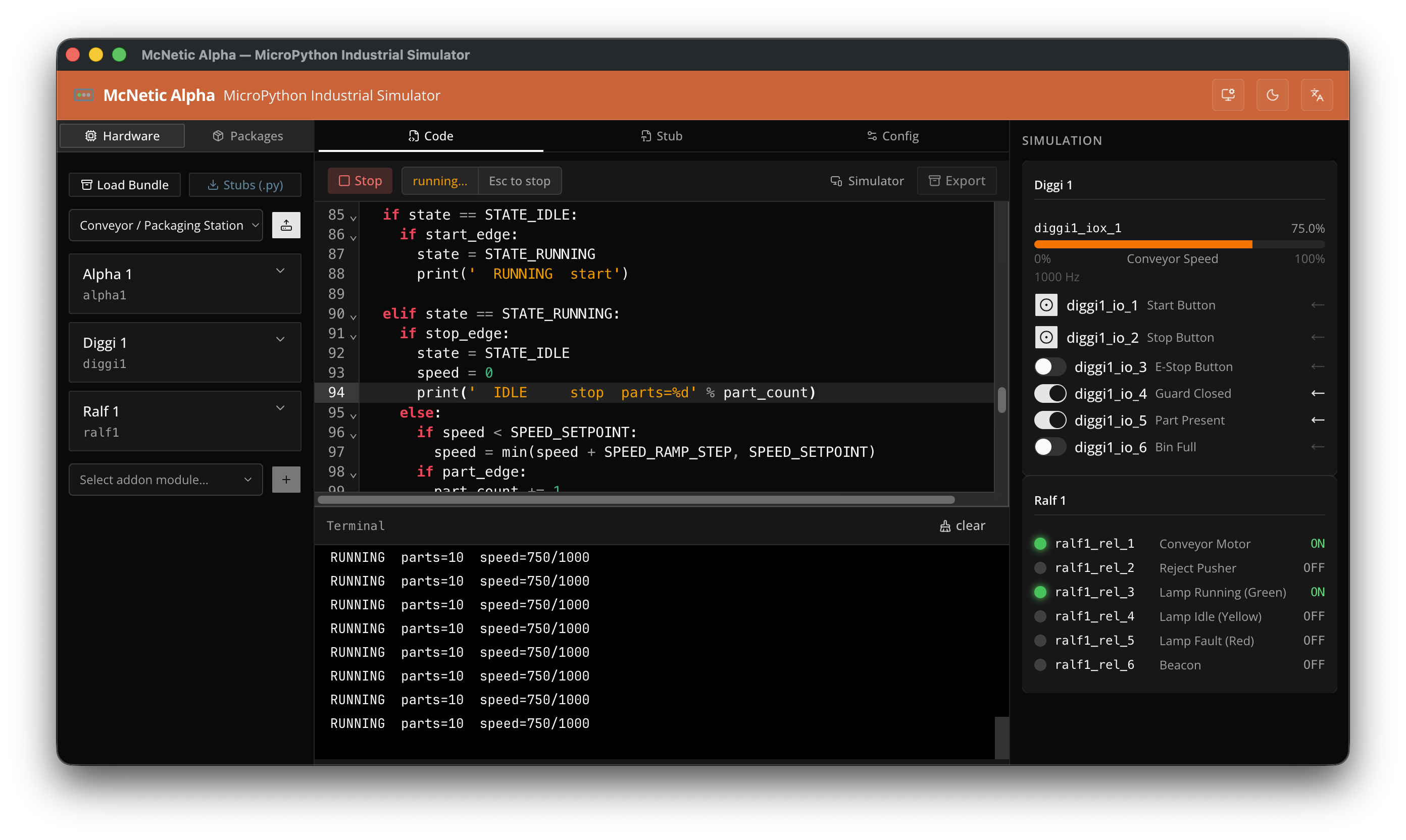
Alpha-Sim is your development environment: an editor with syntax highlighting, a terminal that shows output and errors in plain text, and next to it the object tree of the installation. One click starts the program on the controller, and the states of all inputs and outputs are shown live. Inputs can be set by hand for testing. So you see not only what your program does, but also what the installation is reporting right now. That is where most of the time is saved during commissioning and troubleshooting.
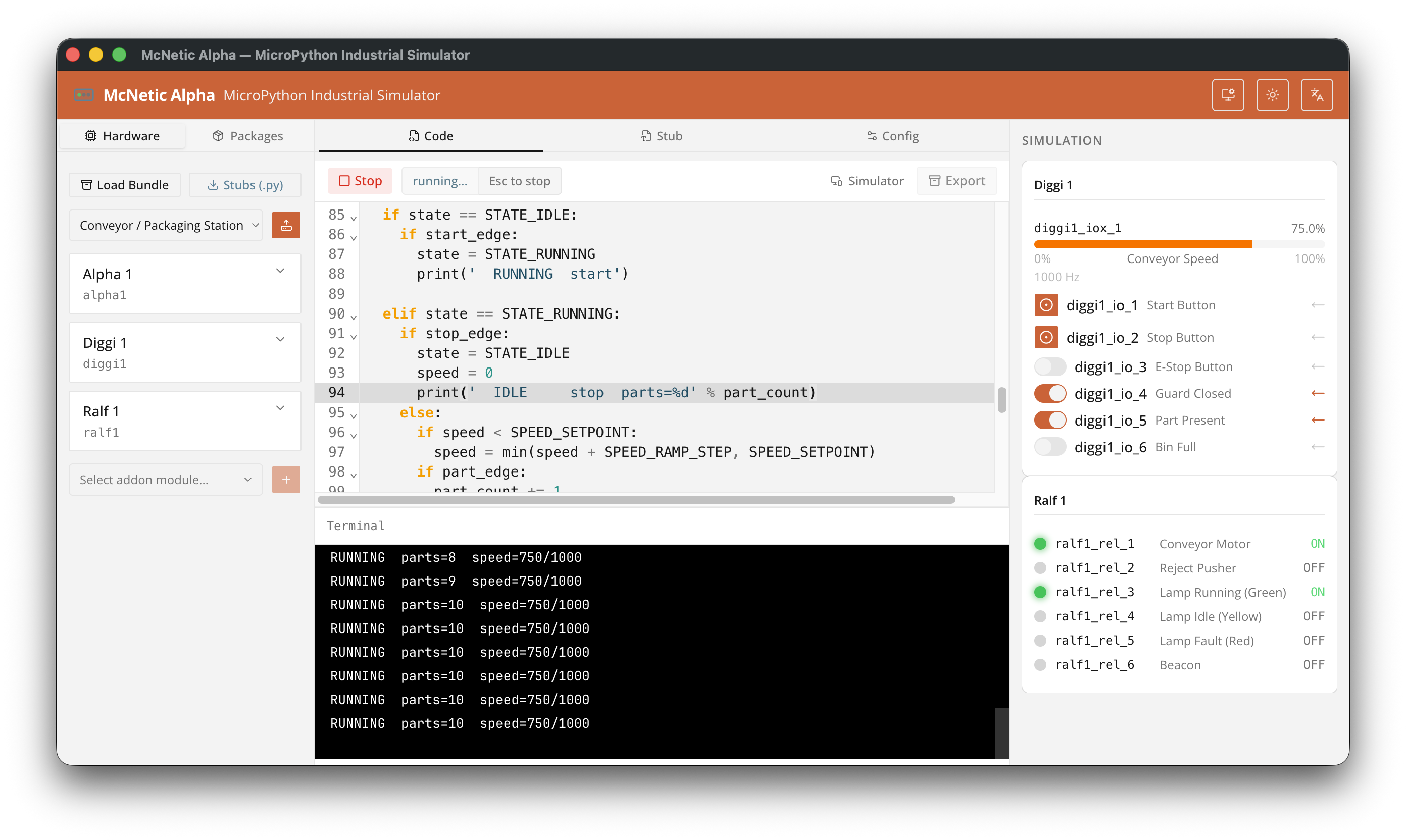
Alpha-Sim also simulates Alpha 1 with any modules entirely without hardware, directly in the browser. You assemble the installation from modules, write the program and watch how it responds to simulated inputs. The code is the same code that later runs on the controller.
So your program is finished by the time the hardware is delivered. Apprentices and course participants practise without a machine, and you can check at your leisure whether McNetic suits your task before you buy a controller. As soon as development is complete, we will provide Alpha-Sim free of charge on this website.
Python does not tie you to one way of thinking. A classic cyclic loop that reads inputs and sets outputs is just as possible as an event-driven application or a configuration-based solution in which a table describes what the installation should do. State machines, timers, controllers and logging are ordinary Python code.
The 32 GB of built-in flash memory holds libraries, data and logs alongside the program. Communication protocols and special functions are loaded as libraries. The interfaces of Alpha 1 therefore speak not only standard protocols such as Modbus or CANopen, but also vendor-specific variants and exotic devices for which classic controllers have no ready-made function block.
| Classic PLC | McNetic Alpha 1 | |
|---|---|---|
| Language | IEC 61131-3: LD, FBD, ST | Python |
| Tooling | vendor IDE with licence | browser or text editor |
| Skills | PLC programmer | anyone who knows Python |
| Commissioning | load project via engineering tool | copy a file |
| Protocols | vendor function blocks | standard and custom libraries |
| Diagnostics | status words, error codes | plain text in the terminal |
 McNetic